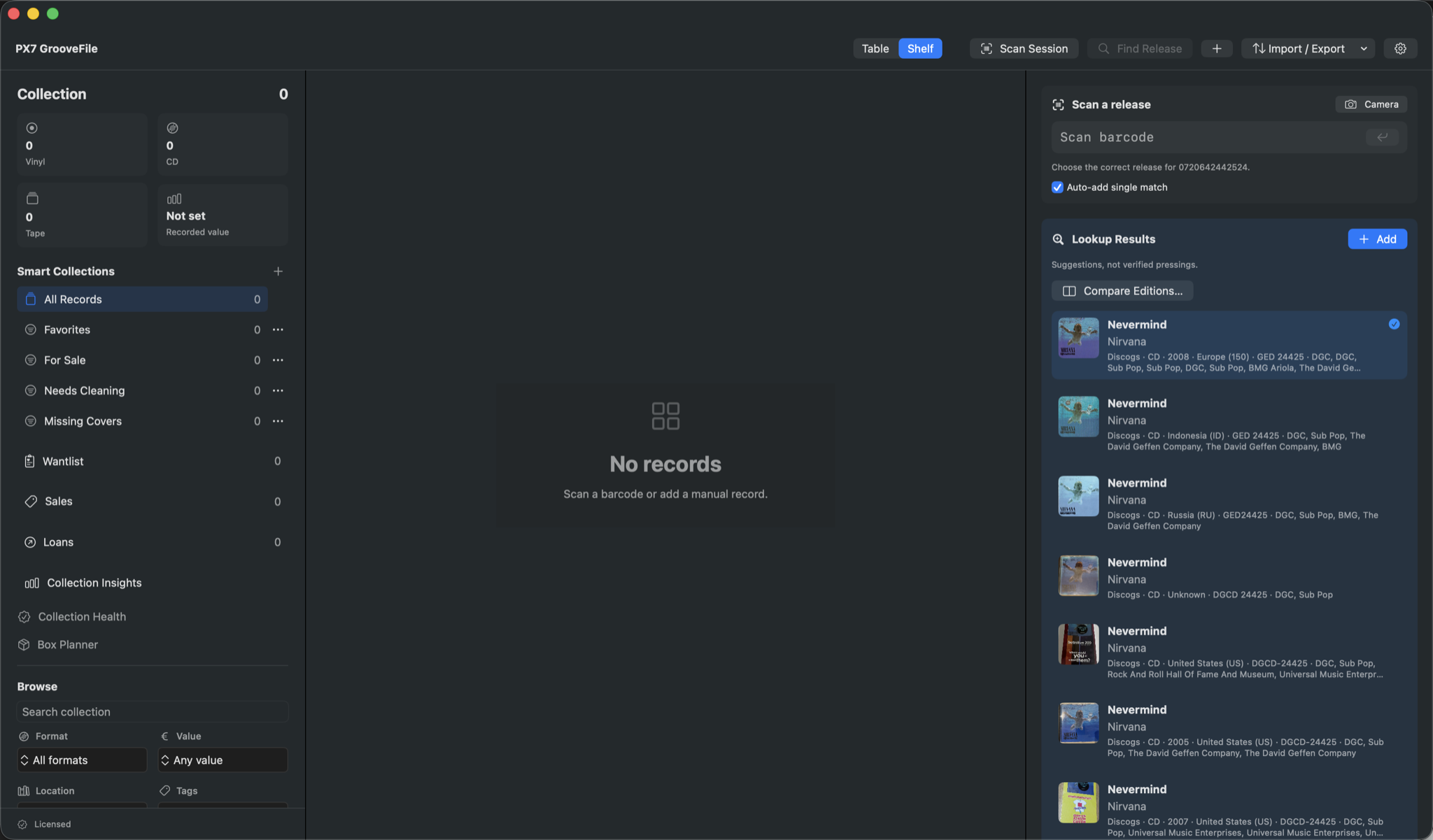
Choose how to enter barcodes
Use a compatible USB or Bluetooth barcode scanner, or your Mac camera. Check your scanner's compatibility before buying hardware: support for barcode input does not mean every scanner has been tested. You can also search for a release without scanning anything.
Try a small batch first
Open Scan Session and start with a few CDs or records whose details you can check easily. Let the lookup return its suggestions, then compare the physical packaging with the candidates. Keep unrecognised items to one side rather than choosing an approximate match just to finish the batch.
Review the suggested release
Look at format, country, label and catalogue number, not only the cover. Barcodes can be shared across editions. A match suggests a release; it does not verify a physical pressing. Check labels and runout markings where the edition matters, and keep uncertain details unresolved.
Add the details the barcode cannot supply
Record condition, shelf or box location and notes for your actual copy. A database lookup cannot tell you whether your sleeve is damaged or which room the album is in. Separate copies can retain separate details even when they share a release.
When scanning does not find an album
Try an artist, title or catalogue-number search, or enter the details manually. Online services do not cover every release and artwork may be missing. GrooveFile stores the collection locally but uses online lookups for metadata and artwork; optional Discogs integration requires your own token.